
Register or transfer many domains at once
Do you want to order or move tens, fifty, or hundreds of domains to WebOké at once? You can do that in one go on the Bulk register/transfer page. You paste your list, see for each domain whether it's available and what's still needed, and add everything to the shopping cart at once.
Where do I find it?
On the website in the Domains menu, and in My WebOké under My Domains. You don't need to be logged in. If you are logged in, you immediately choose the holder and the package for your domains.
How does it work?
- Paste your domains in the text field: one per line, or separated by a space, comma, or semicolon. If you already have transfer codes, put the code after the domain, for example
mycompany.nl ABCD1234EFGH. - Click Check. For each domain you'll see whether it's available or taken (then you move it), whether it's already with WebOké, and the price.
- Fill in what's needed: the transfer code (or choose Later) and the extra details some extensions require, such as a personal number for .nu or .se.
- Under For all domains at once, set up the nameservers in one go: default WebOké or your own nameservers.
- Click Add to cart and then Go to checkout.
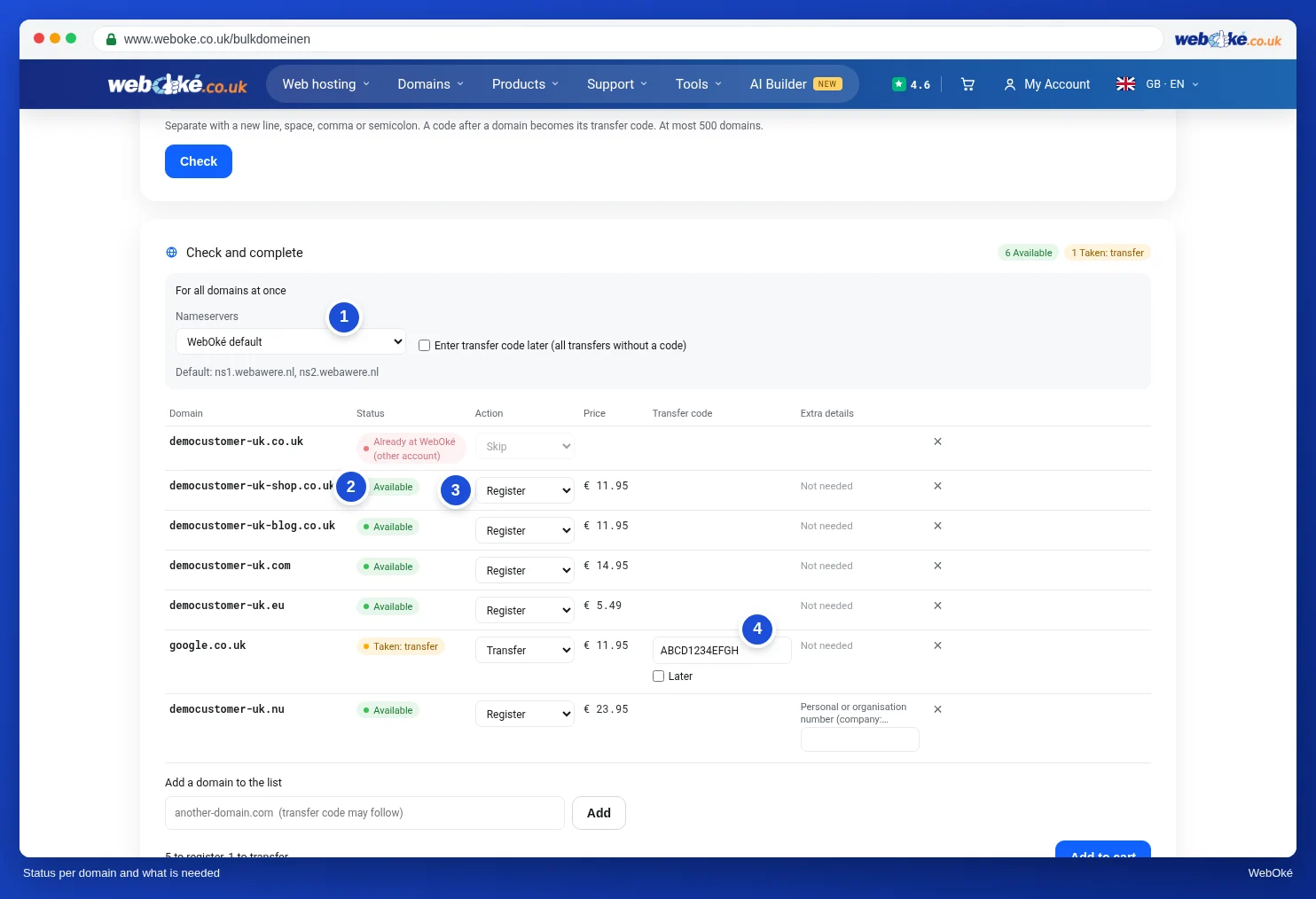
The steps with screenshots can be found in the guide: Registering or transferring many domains at once.
How many domains can I do at once?
Up to 500 at a time. If you have more, do them in a few rounds; everything ends up in the same shopping cart.
What if something's wrong with a domain?
Then that line turns red with the reason shown next to it, for example an incorrect transfer code or a missing number. The other domains are already in the shopping cart at that point. Fix the red lines and click Add to cart again.
I don't have all the transfer codes yet
Choose Later, or turn on Enter transfer code later at the top for all transfers without a code. You order the domains now and start each transfer yourself as soon as you have the code, in the Transfer centre in My WebOké. Until then, the domain simply keeps working with your current provider. As long as a code is missing, we'll send you a reminder every 14 days.
Can I use my own nameservers?
Yes. Under Nameservers, choose Own nameservers and enter 2 to 5. The domain must already be known at those nameservers; otherwise you'll get a notice for that domain. You can also still adjust the nameservers per domain in the shopping cart.