
Chapter 5 · 5.4
CNAME records and the trailing dot
A CNAME record points a name to another name. Services such as web shop platforms, newsletter services and Microsoft 365 often ask for one. For example: point shop.yourdomain.nl to shops.exampleplatform.com.
Adding a CNAME record
- Open DNS Administration and click ADD RECORD.
- For Record Type, choose CNAME.
- Under Name, enter only the first part, such as shop or autodiscover.
- The Value field already contains your own domain name with a dot. Remove that and enter the target name, with a dot at the end: shops.exampleplatform.com.
- Click ADD.
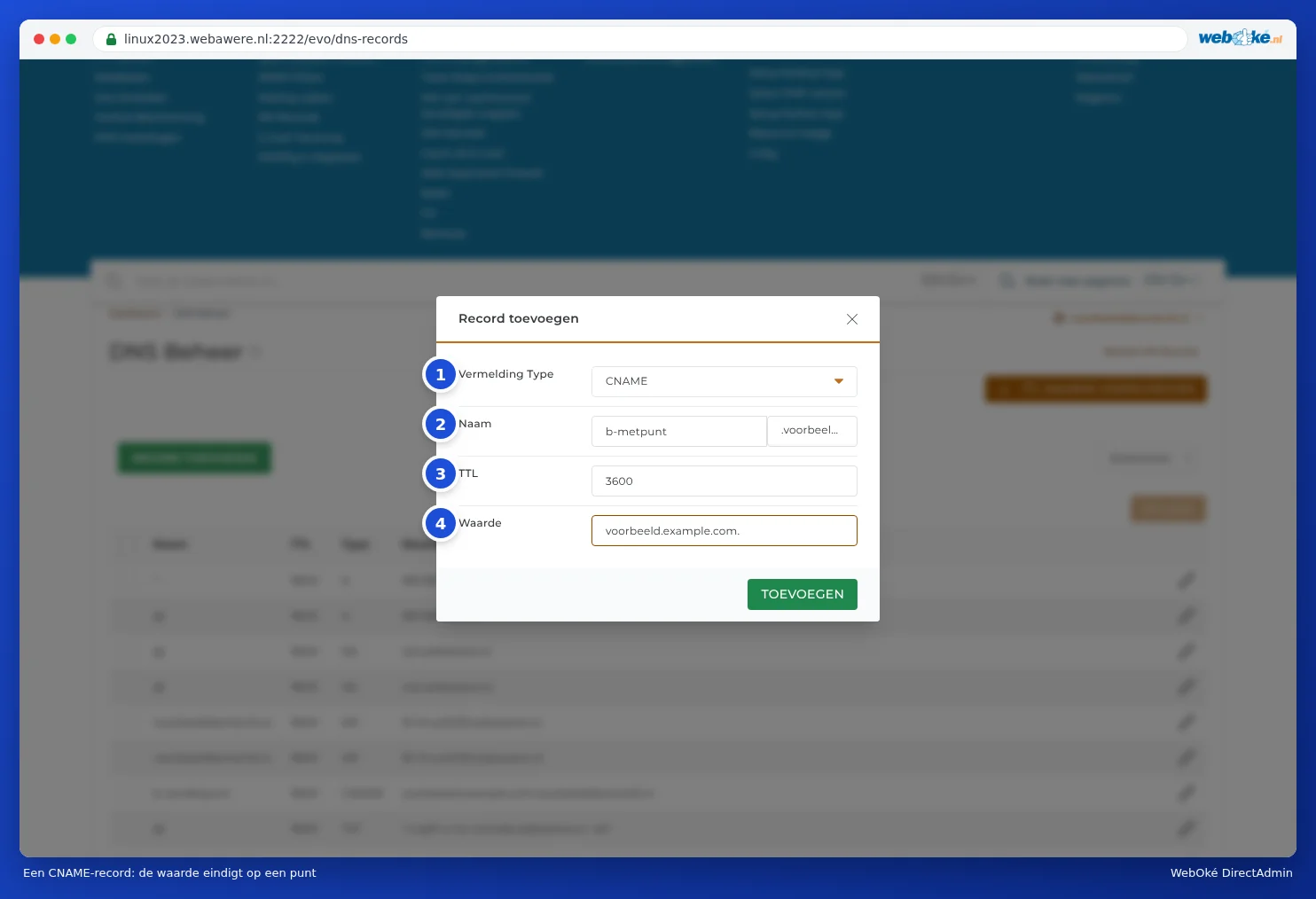
Why that dot?
Without a dot at the end, the DNS thinks the name isn't complete yet and adds your own domain name after it. If you enter shops.exampleplatform.com without a dot, it actually becomes shops.exampleplatform.com.yourdomain.nl. That name doesn't exist, so the link won't work.
DirectAdmin shows you this too: after saving, a record without a dot will have your domain name appended to the value.

Do you see your own domain name after the value in a CNAME record? Click the pencil icon, remove your domain name, add a dot at the end and save.
Tip: The same rule applies to the mail server in an MX record and to NS records. For an IP address in an A record, you don't add a dot.
What can't you do with a CNAME?
- No CNAME on the domain itself. A CNAME can't exist for yourdomain.nl (without anything in front of it), because that's also where the MX and NS records are. If a service asks for this, use an A record with the IP address the service provides instead.
- No CNAME alongside other records with the same name. If there's already an A record for shop, remove it first.
- No CNAME for a name you've also set up as a subdomain in DirectAdmin. A subdomain in Subdomain Management points to your own package. If you want the name to point to a different service, remove the subdomain and create only the CNAME record.
Frequently asked questions
My newsletter service asks for CNAME records for DKIM
Services such as Mailchimp, MailerLite and Brevo often ask for CNAME records with a name like k1._domainkey. Copy the name without adding your domain name after it (that's already there), and the value with a dot at the end. More on this in Turning on and checking DKIM.
I want www to point to a different service
Create a CNAME record with the name www. This record takes priority over the wildcard record.