
Chapter 15 · 15.30
An Excel file with VBA macros: what now?
Many businesses have Excel files (xlsm) with macros: buttons that create an invoice, sort a list or copy data. Those macros are written in VBA, the programming language of Microsoft Office. What happens when you open such a file in your WebOké Nextcloud?
The honest answer
Euro-Office does not run VBA macros. The file simply opens, you'll see all the data and formulas, but the buttons and automatic actions won't do anything. Macros in Euro-Office are written in JavaScript, a different language.
What can you do?
- Only use the file for the data: filling in, viewing and calculating works fine. Use the macros in Excel instead.
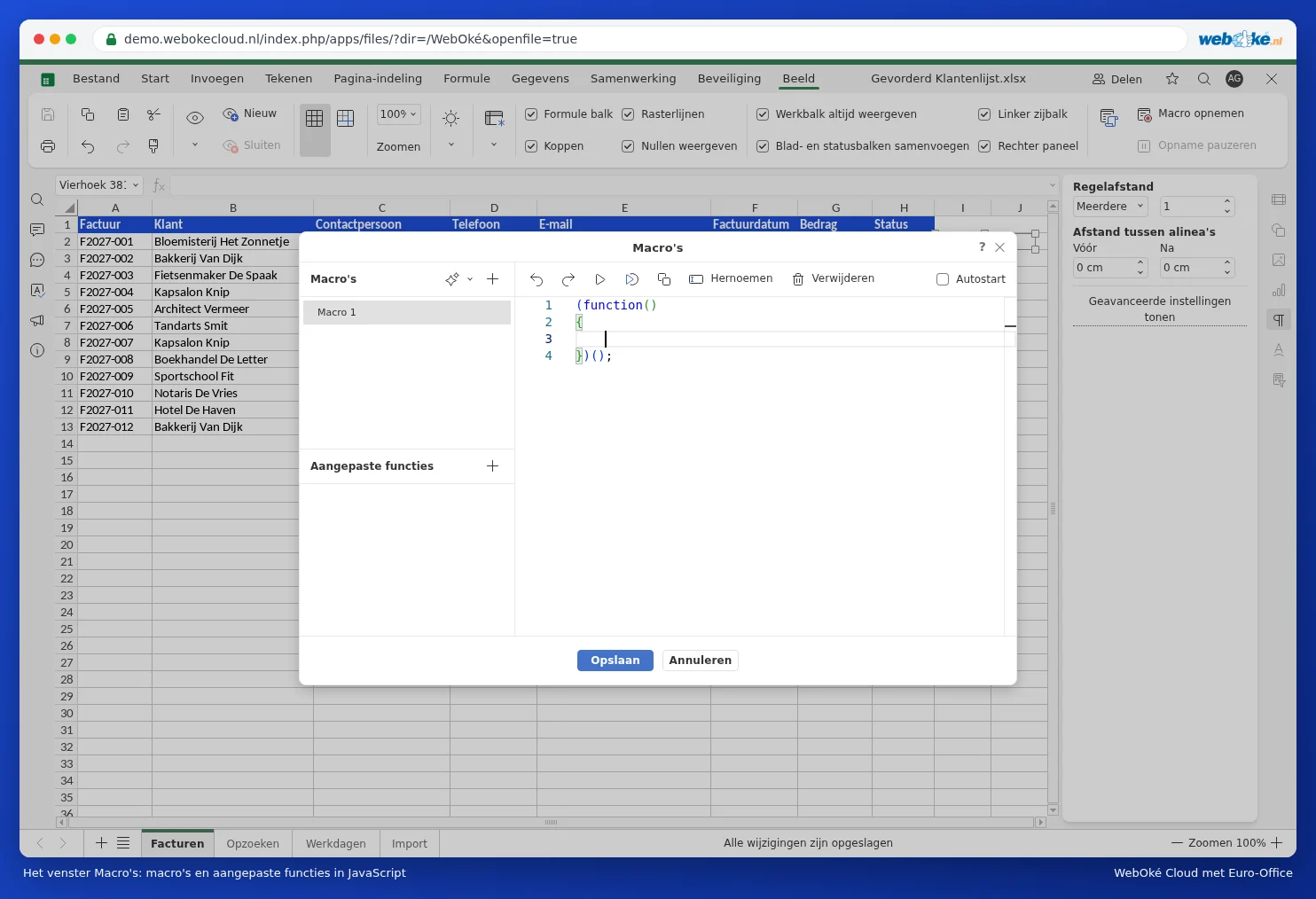
- Recreate the macro in Euro-Office: go to the View tab and click Macros. Here you can create a macro in JavaScript, or record it with Record macro: Euro-Office then captures your actions as a macro.
- Check whether you still need the macro: many old macros sort, filter or colour cells. You can often achieve the same thing without a macro, using a pivot table, conditional formatting (see Colouring an entire row when the invoice is paid) or XLOOKUP (see XLOOKUP: look up to the left and with a custom message).
A custom function
Did you use a custom VBA function in formulas in Excel, such as =VAT(A1)? In the Macros window, you can create your own function in JavaScript under Custom functions. This does require some programming knowledge. Such a function only works in Euro-Office, not in Excel.
Pitfalls
- Always keep the original. If you save an xlsm file in Euro-Office, the VBA code may become unusable in Excel. If the file needs to keep working in Excel as well, edit a copy, or only edit it in Excel.
- Formulas with a custom VBA function will show an error value such as #NAME? in Euro-Office.
- Macros in files from other people can do unwanted things. If a file contains automatic macros, Euro-Office will ask when opening it whether you want to run them. Only choose yes if you trust the file.
- Need help converting an important macro? Have this done by someone who knows JavaScript; WebOké support is happy to help you explore the possibilities.